
step() so it’s traced, retried, and safe to replay.
What it enables
- Access hundreds of third-party apps (Slack, Gmail, Airtable, HubSpot, …) through a single SDK.
- Zero OAuth code — Zapier injects tokens from the user’s stored connection.
- Two ways to execute actions: a unified
runAction()entry point, or dot notation to access app-specific methods. - Machine credentials that run from a headless worker, not a browser.
When to use
- You need to send, read, or update data in an app a user has already authorized in Zapier.
- You want to skip managing OAuth tokens and refresh flows yourself.
- Your workflow should tolerate transient 5xxs and retry without double-posting.
- You need the Zapier call traced alongside LLM and other steps in the same Output execution.
Install & authenticate
Visit https://zapier.com/app/assets/connections and create connections to the apps you want to use.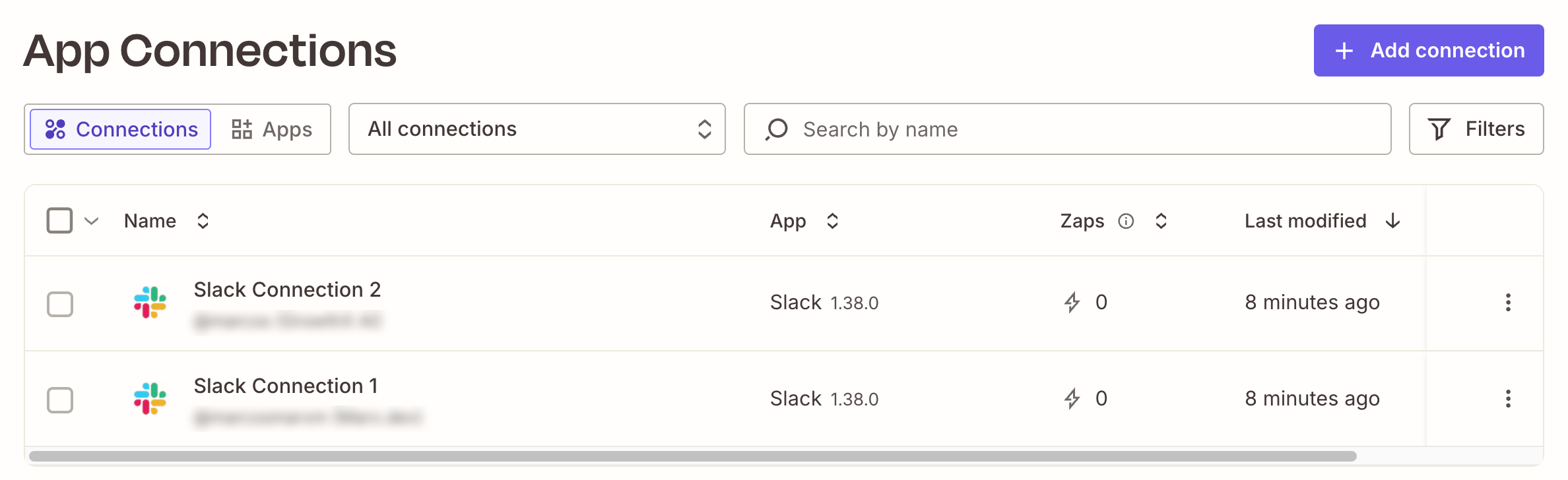
package.json must set "type": "module" — both SDKs are ESM.
Authenticate once locally and register the apps you want to call:
Machine credentials for the worker
The Output worker runs in Docker with no browser. Create machine credentials and store them in Output’s encrypted credential store:.env:
Shared Zapier client
Put the configured SDK in its own file undersrc/clients/ so every step imports the same instance — matching the API client pattern used elsewhere in Output (e.g. src/clients/jina.ts):
src/clients/zapier.ts
Schemas
Define every step and workflow boundary intypes.ts so the same shapes are reused across files instead of being inlined into each z.object(...):
types.ts
Calling a Zapier action from a step
Each authorized app shows up on the App Connections page in Zapier — that’s whatfindFirstConnection queries under the hood:
Put every Zapier call inside a step() so it’s traced and retried. Resolve the user’s connection, then invoke the action through the typed dot-notation API:
steps.ts
FatalError — retrying won’t help until the user authorizes Slack in Zapier. Transient 5xxs from Slack or Zapier bubble up and Output’s step retry policy handles them automatically.
Other methods to call Zapier Actions
You can also invoke the action using this syntax:{ data } from the response — the Zapier SDK returns a wrapped envelope.
For endpoints with no built-in action, fall back to Direct API calls bypass your org’s action restriction policies. See Zapier’s docs.
zapier.fetch() — it injects the user’s credentials and returns a standard Response:Orchestrating with a workflow
Keep the workflow pure — it only sequences step calls. No SDK clients, nofetch, no Date.now:
workflow.ts
src/workflows/slack_broadcast/scenarios/happy_message.json
postToSlackChannel.